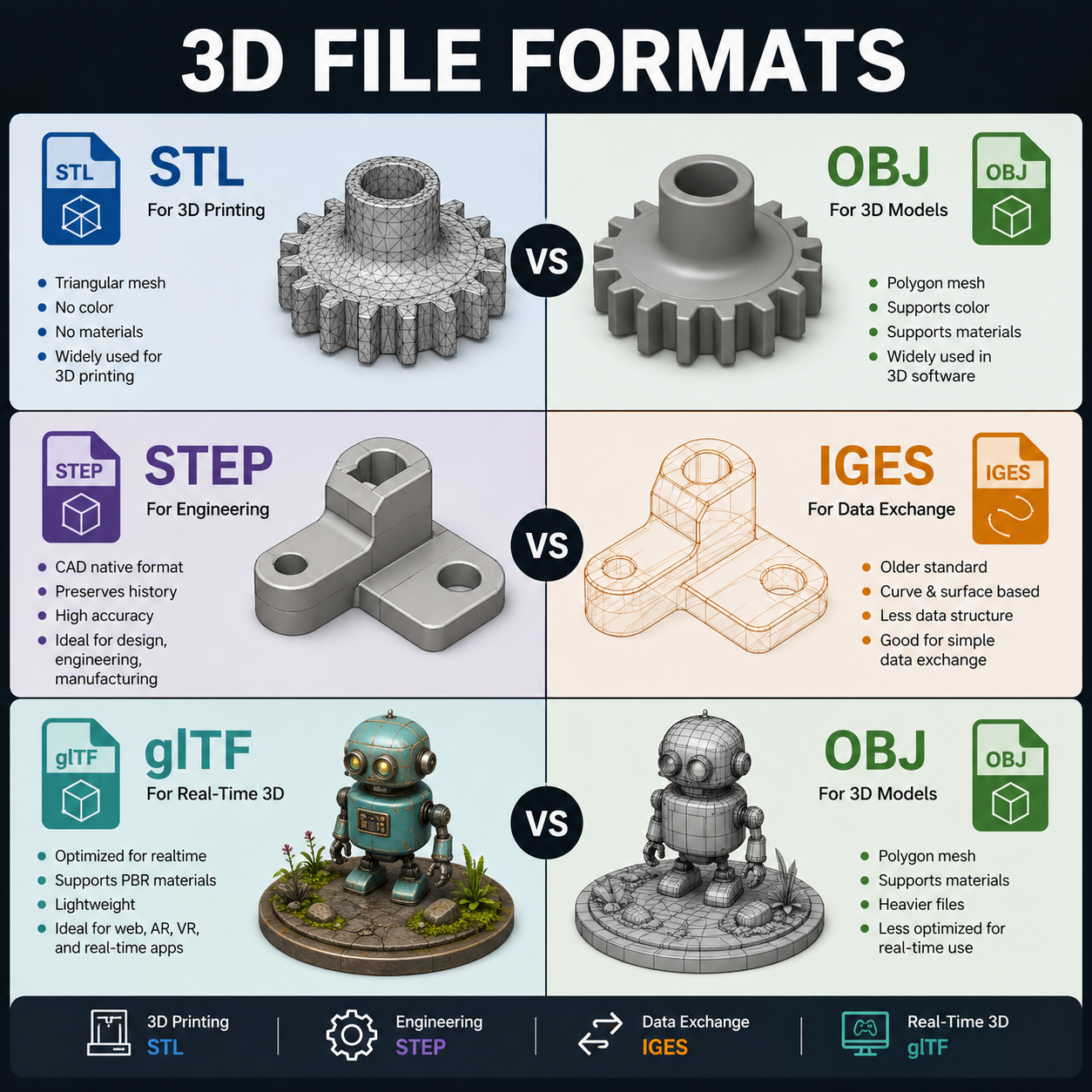
STL vs OBJ, STEP vs IGES, glTF vs OBJ
Suppose you have some data that a friend wants to read through an automated process, for example, via a custom-built program you helped develop. What would that data look like? Generally, data appears as simple, raw numbers or words, but that often isn't enough for automation. This is where the need for structure comes in. Once structured, simple data becomes meaningful information that can be processed programmatically.
Following our example situation, you and your friend can develop a standard format for the data and even a protocol for transmission (but that is a story for another time). The format can be represented as text or binary. While binary files contain data in machine-readable byte sequences, plain text (ASCII characters) files are human-readable.
We used the analogy of two friends to illustrate how CAD file formats are born between big corporate developers and their communities. Some of these formats become widely accepted as standards for transferring 3D geometry between software, or as base formats for visualization, 3D printing, and CNC machining.
Let's dive into common 3D modeling file formats and their key differences. We will limit the following descriptions to the key features that distinguish one format from another.
STL vs. OBJ:
Both file formats represent a polygonal mesh surface, and within this, a key difference is hidden. STL focuses on a triangular polygon mesh to define surfaces, which is why it is used primarily for 3D printing. OBJ can hold more complex polygon shapes (quads, etc.) and supports material data, colors, and textures, making it ideal for rendering.
STEP vs. IGES:
The modern and preferred standard for sharing solid 3D models is the STEP (.stp, .step) format. It defines the geometry of a model by supporting B-Rep (Boundary Representation) solid geometry, preserving assembly structure and offering high accuracy when transferring that geometry between software for further CAD modeling, analysis, or simulation under real-world conditions. IGES (.igs, .iges) is an older (1980s) format. It is best used when transferring data between legacy systems. The average user doesn't usually touch this.
glTF vs. OBJ:
glTF (GLB) is a modern standard for 3D web environments. It is commonly used in WebGL applications for e-commerce, web-based game engines, and real-time visualization. You can think of it as a format that stores not only mesh geometry, colors, materials, and textures, but also animations and scene data such as node hierarchies and positioning. Unlike formats like OBJ, glTF is designed for efficient transmission and real-time rendering. Choose glTF/GLB for web-based applications.
Binary representation:
We should also discuss the binary representation of some of the formats described above. Binary versions are common for STL and glTF files. Converting text (ASCII) data into a binary format typically reduces file size and improves loading performance.
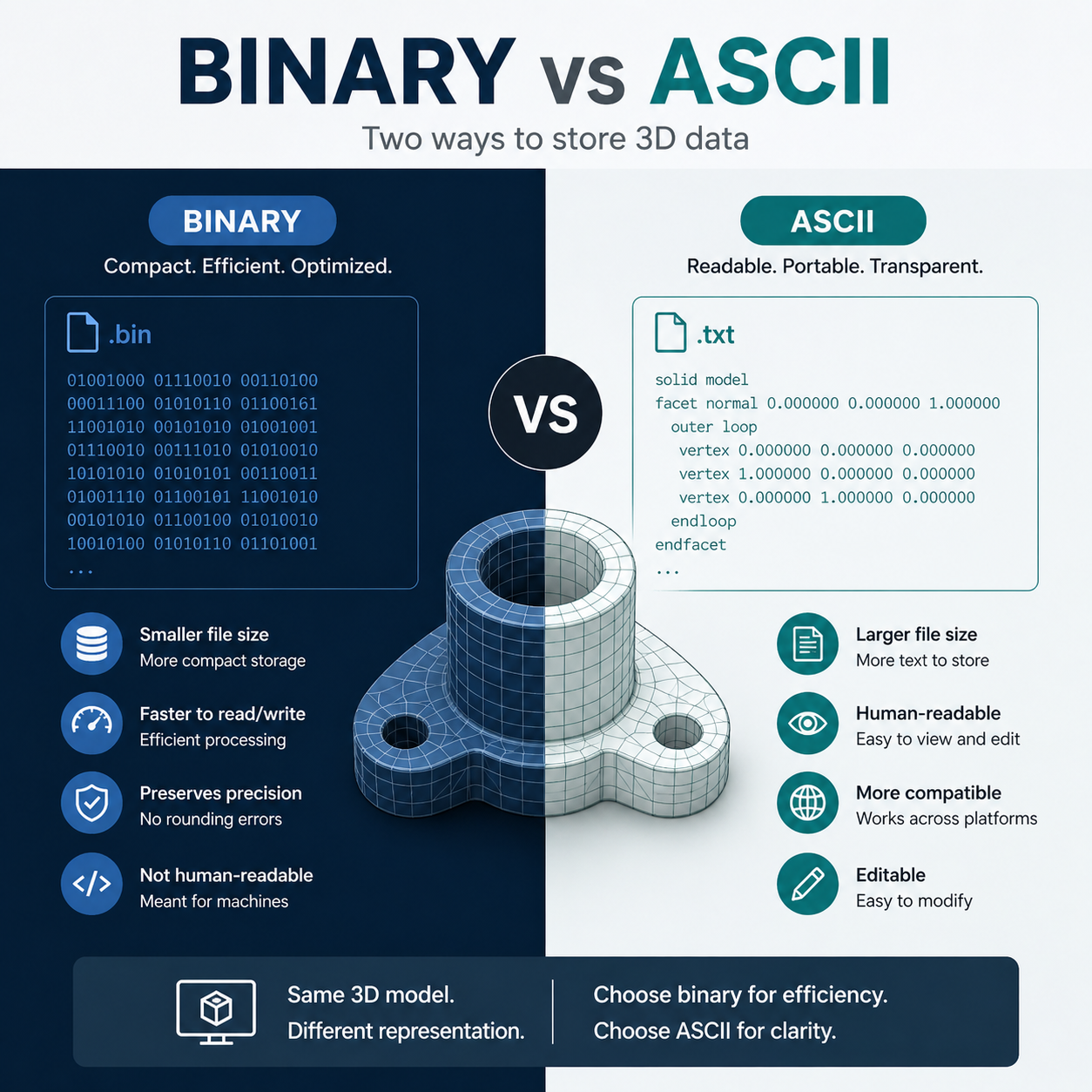
The binary version of glTF has a .glb extension. Binary .glb files are preferred for large and complex scenes. Using binary results in smaller, faster-loading assets.
Binary STL files are preferred for 3D printing because they are significantly smaller and faster to load than ASCII STL files. While ASCII files are written in human-readable text, binary files use compact, encoded data. Binary is ideal for huge and complex models to avoid large file sizes.
In short, both glTF (.glb) and STL (Binary) prioritize efficiency by reducing file size and improving load times compared to their text-based counterparts.